Sales catalog (interactive PDF)
Stop emailing a stale PDF line sheet. Publish an interactive catalog that reps and buyers can browse, search, and zoom, backed by a board you update in one place. It behaves like an interactive PDF, but it is always current, and buyers can still download the originals when they need a file.
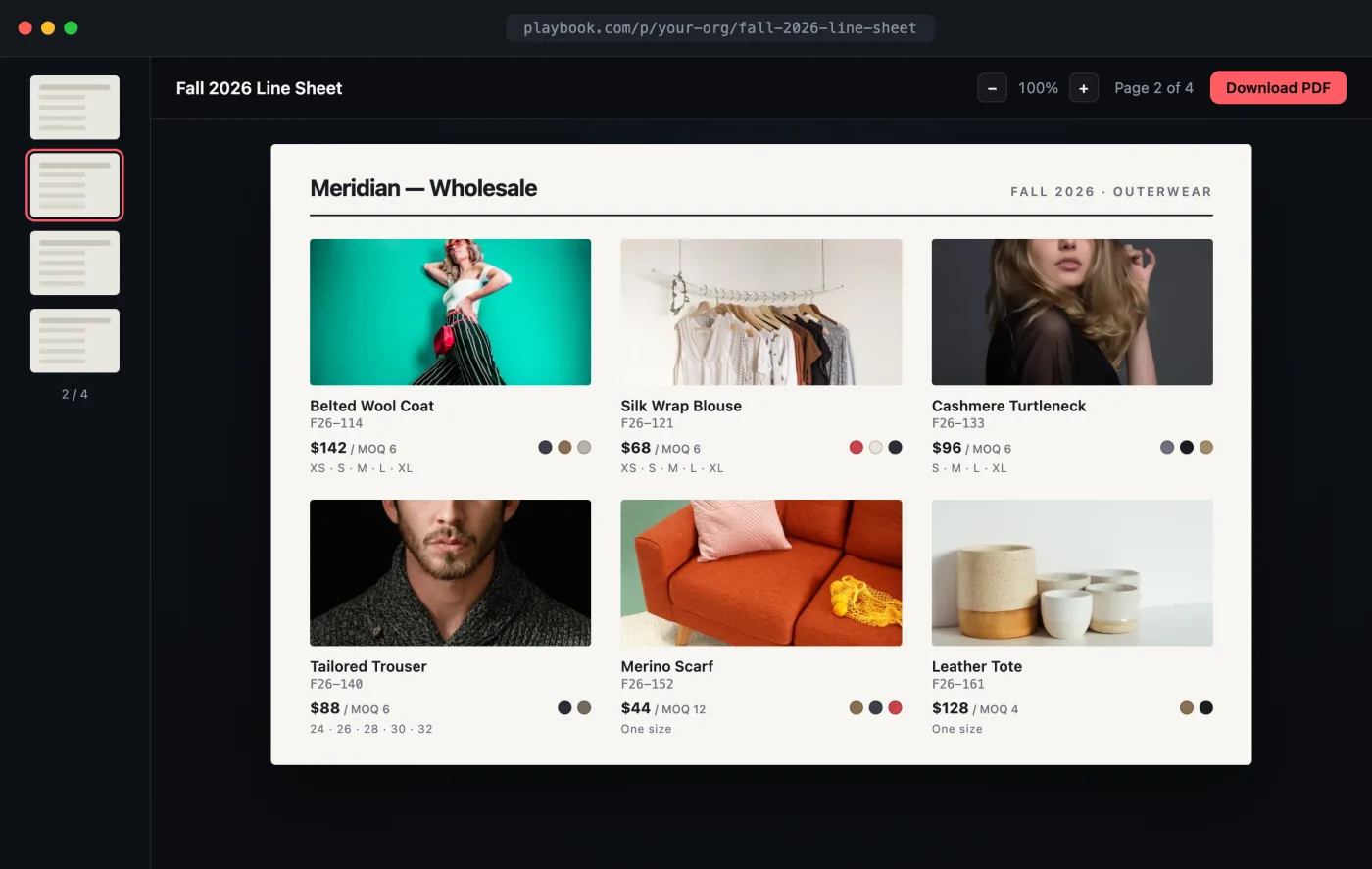
Open the interactive preview → · a self-contained index.html you can click through in your browser (flip through pages, browse styles) or download.
The flow
- Build the line sheet on a board, one asset per style.
- Tag each style with fields buyers care about (style number, wholesale price, availability).
- Publish it as an interactive catalog link, and embed it in your sales portal.
- Let buyers download originals or spec sheets on demand.
1. Build the line sheet board
curl -X POST "https://api.playbook.com/v1/$ORG/boards" \
  -H "Authorization: Bearer $PLAYBOOK_TOKEN" \
  -H "Content-Type: application/json" \
  -d '{ "title": "Fall 2026 Line Sheet", "description": "Wholesale catalog for sales reps" }'
Add each style with batch upload,
passing the board's token. Attach the fields reps quote from:
curl -X POST "https://api.playbook.com/v1/$ORG/assets/batch_create_from_urls" \
  -H "Authorization: Bearer $PLAYBOOK_TOKEN" \
  -H "Content-Type: application/json" \
  -d '{
    "batch": {
      "collection_token": "fall-2026-line-sheet",
      "assets": [
        {
          "uuid": "1",
          "uri": "https://example.com/line/coat-01.jpg",
          "title": "Belted Wool Coat",
          "fields": { "Style No": "F26-114", "Wholesale": "142.00", "MOQ": "6" }
        }
      ]
    }
  }'
2. Publish the interactive catalog
Publishing turns the board into a hosted, searchable, zoomable catalog. This is your interactive PDF, no export step, no version drift.
curl -X POST "https://api.playbook.com/v1/$ORG/boards/fall-2026-line-sheet/publish" \
  -H "Authorization: Bearer $PLAYBOOK_TOKEN"
{ "data": { "url": "https://playbook.com/p/your-org/fall-2026-line-sheet" } }
Send reps the link, or embed it in your sales portal:
<iframe
  src="https://playbook.com/p/your-org/fall-2026-line-sheet"
  style="width:100%;height:900px;border:0"
  title="Sales catalog"
></iframe>
Update the board and every open catalog reflects it immediately. For a
link-gated catalog instead of a fully public one, use
POST /v1/$ORG/boards/fall-2026-line-sheet/share. See
published vs. shared.
3. Let buyers download a style
When a buyer wants the high-res image or a spec sheet, hand them the original through the shared-download endpoint with the catalog's share slug:
const ORG = "your-org";
const TOKEN = process.env.PLAYBOOK_TOKEN!;

async function styleDownloadUrl(assetToken: string, shareSlug: string) {
  const res = await fetch(
    `https://api.playbook.com/v1/shared/${ORG}/assets/${assetToken}/download?sharedlinkslug=${shareSlug}`,
    { headers: { Authorization: `Bearer ${TOKEN}` } },
  );
  const { data } = await res.json();
  return data.raw_url; // full-resolution original
}