Creative marketplace
Run a stock, template, or asset marketplace: sellers upload, buyers discover and preview, and you deliver the licensed original on purchase.
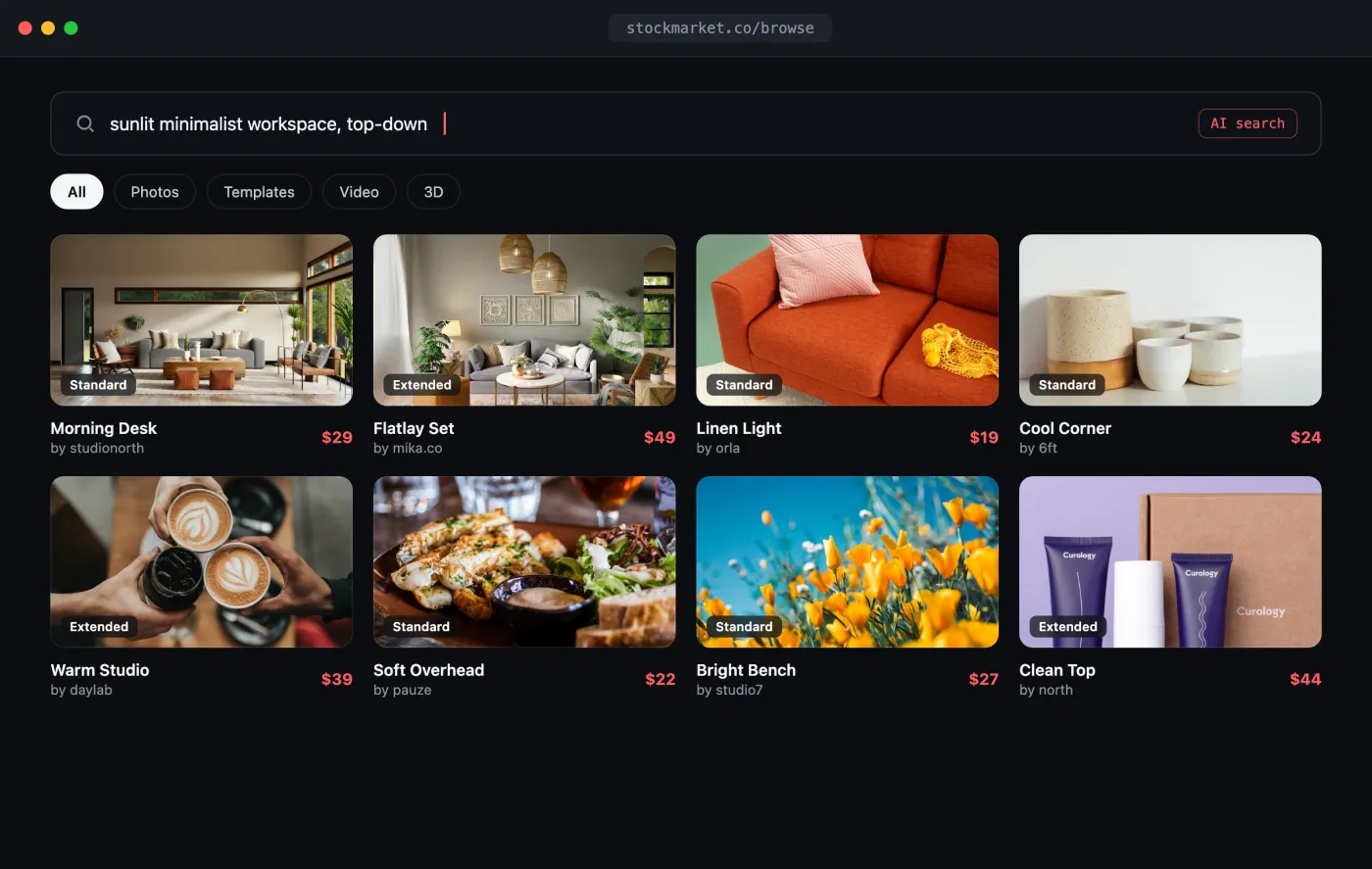
Open the interactive preview → · a self-contained index.html you can click through in your browser (open photos, favorite shots, switch tabs) or download.
The flow
- Sellers upload files directly with the signed-upload flow.
- Buyers discover with AI (natural-language) search.
- Preview with CDN URLs; deliver the original on purchase via a share.
1. Seller uploads (signed URL)
For files that live on the seller's device, use the two-step signed upload so bytes go straight to storage, never through your server:
const ORG = "your-org";
const TOKEN = process.env.PLAYBOOK_TOKEN!;

async function uploadFile(file: File, boardToken: string) {
  // 1. Ask Playbook for a pre-signed URL
  const prep = await fetch(
    `https://api.playbook.com/v1/${ORG}/assets/upload_prepare`,
    {
      method: "POST",
      headers: {
        Authorization: `Bearer ${TOKEN}`,
        "Content-Type": "application/json",
      },
      body: JSON.stringify({
        asset: {
          title: file.name,
          size: file.size,
          collection_token: boardToken,
        },
      }),
    },
  );
  const { data } = await prep.json();

  // 2. PUT the bytes directly to storage (no auth header on this request)
  await fetch(data.upload_url, { method: "PUT", body: file });

  return data; // includes the new asset token; poll it until processing finishes
}
See Uploading Assets for the full signed flow, the URL-based alternative, and how to poll for completion.
2. Buyer discovery (AI search)
Let buyers describe what they want in plain language. AI search ranks by meaning and paginates with a cursor:
type SearchPage = { parentId: string; afterCursor: string };

async function discover(query: string, page?: SearchPage) {
  const params = new URLSearchParams({ query });
  if (page) {
    params.set("parent_id", page.parentId);
    params.set("after_cursor", page.afterCursor);
  }
  const res = await fetch(
    `https://api.playbook.com/v1/${ORG}/ai_search?${params}`,
    { headers: { Authorization: `Bearer ${TOKEN}` } },
  );
  return res.json(); // { data: [...], pagy: { parent_id, after_cursor, has_next_page } }
}

const page = await discover("sunlit minimalist workspace, top-down");

if (page.pagy.has_next_page) {
  const nextPage = await discover("sunlit minimalist workspace, top-down", {
    parentId: page.pagy.parent_id,
    afterCursor: page.pagy.after_cursor,
  });
}
Combine with filters (filters[media_type], filters[boards][]) to scope by
format or seller. See AI Search.
3. Preview, then deliver on purchase
Show the watermark-free display_url as the browse/preview image. On a
completed purchase, mint a share and hand over the full-resolution original:
async function fulfill(assetToken: string) {
  // Create a shareable link for the purchased asset
  const share = await fetch(
    `https://api.playbook.com/v1/${ORG}/assets/${assetToken}/share`,
    { method: "POST", headers: { Authorization: `Bearer ${TOKEN}` } },
  );
  const shareSlug = new URL((await share.json()).data.url).pathname.split("/")[2];

  // Resolve the original download URL for the buyer
  const dl = await fetch(
    `https://api.playbook.com/v1/shared/${ORG}/assets/${assetToken}/download?sharedlinkslug=${shareSlug}`,
    { headers: { Authorization: `Bearer ${TOKEN}` } },
  );
  return (await dl.json()).data.raw_url; // licensed original
}
Gate fulfill() behind your payment webhook so originals only ship after a
successful charge.