Digital asset management
A searchable source of truth for brand and marketing teams: structured metadata, powerful search, and events that keep the rest of your stack in sync.
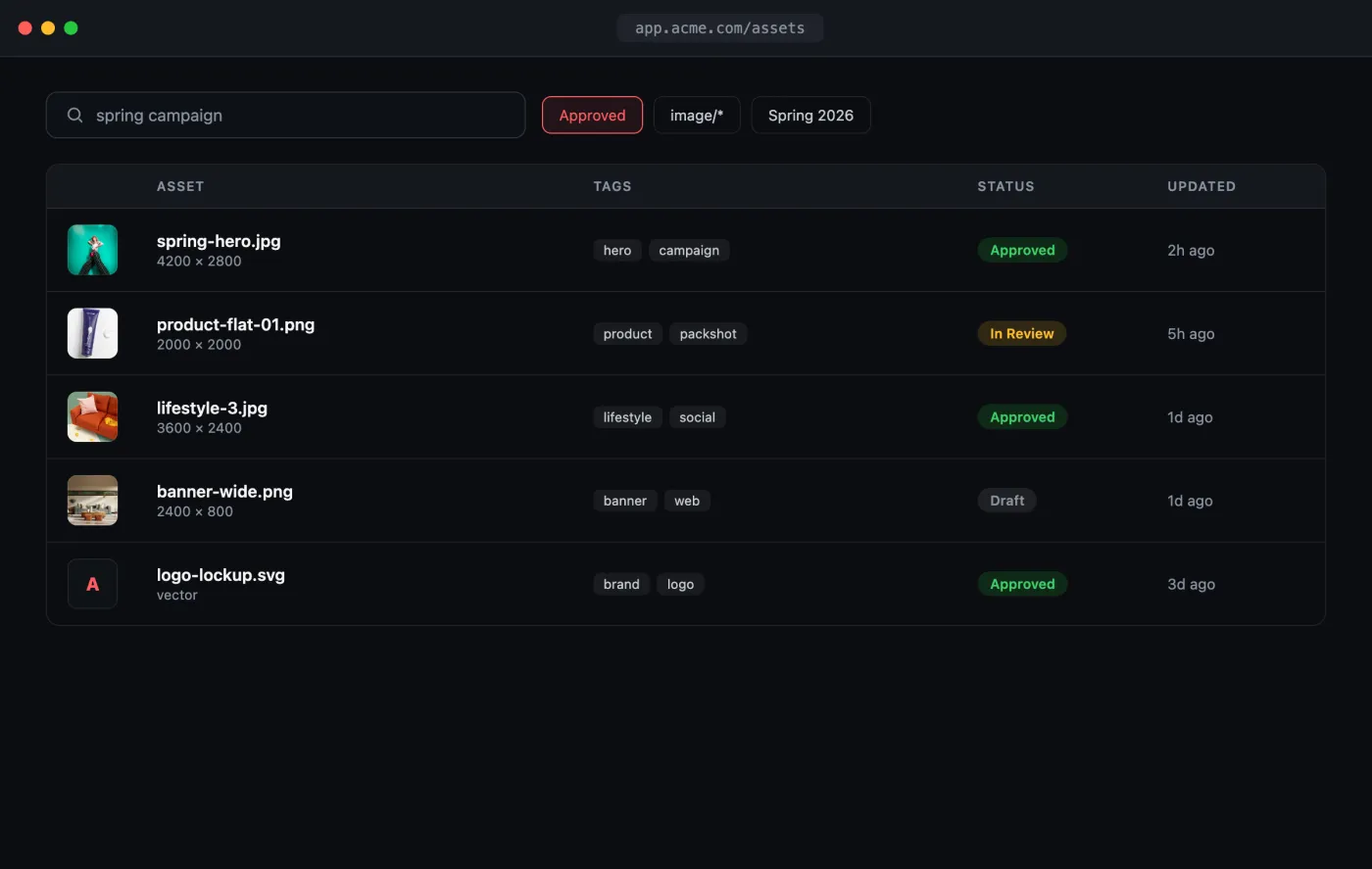
Open the interactive preview → · a self-contained index.html you can click through in your browser (open photos, favorite shots, switch tabs) or download.
The flow
- Define custom fields for your taxonomy (approval status, campaign, etc.).
- Ingest assets and set their fields.
- Search and filter across metadata and full text.
- Fire webhooks so downstream systems stay current.
1. Define your taxonomy
Create the fields your team files against. Here, an approval workflow:
curl -X POST "https://api.playbook.com/v1/$ORG/custom_fields" \
  -H "Authorization: Bearer $PLAYBOOK_TOKEN" \
  -H "Content-Type: application/json" \
  -d '{
    "field": {
      "name": "Approval Status",
      "options": ["Draft", "In Review", "Approved", "Rejected"]
    }
  }'
See Custom Fields for field types and options.
2. Ingest and tag
Ingest the asset into a board…
curl -X POST "https://api.playbook.com/v1/$ORG/assets" \
  -H "Authorization: Bearer $PLAYBOOK_TOKEN" \
  -H "Content-Type: application/json" \
  -d '{
    "asset": {
      "uri": "https://example.com/campaign/hero.jpg",
      "title": "Spring hero",
      "collection_token": "spring-campaign"
    }
  }'
…then set (and later change) its custom fields as it moves through review:
curl -X PATCH "https://api.playbook.com/v1/$ORG/assets/spring-hero/update" \
  -H "Authorization: Bearer $PLAYBOOK_TOKEN" \
  -H "Content-Type: application/json" \
  -d '{ "asset": { "fields": { "Approval Status": "Approved" } } }'
3. Search across your library
Filter on media type and board at the API boundary. Asset payloads include their custom-field values, so this example applies the approval value after retrieval:
const ORG = "your-org";
const TOKEN = process.env.PLAYBOOK_TOKEN!;

async function search(query: string, filters: Record<string, string> = {}) {
  const params = new URLSearchParams({ query });
  for (const [key, value] of Object.entries(filters)) {
    params.append(key, value);
  }
  const res = await fetch(
    `https://api.playbook.com/v1/${ORG}/search?${params}`,
    { headers: { Authorization: `Bearer ${TOKEN}` } },
  );
  const { data } = await res.json();
  return data;
}

// Approved images in the spring campaign. `filters[statuses][]` matches custom-field
// option names, so the filtering happens server-side rather than page by page.
const results = await search("", {
  "filters[media_type]": "image/jpeg",
  "filters[boards][]": "spring-campaign",
  "filters[statuses][]": "Approved",
});
For semantic, natural-language queries ("moody product shots on a dark
background"), swap search for AI Search.
4. Stay in sync with webhooks
Register a trigger so your DAM dashboard, Slack, or data warehouse updates the moment assets change:
curl -X POST "https://api.playbook.com/v1/trigger" \
  -H "Authorization: Bearer $PLAYBOOK_TOKEN" \
  -H "Content-Type: application/json" \
  -d '{ "hook_url": "https://your-server.com/webhooks/playbook" }'
Your endpoint receives asset create/update events (including the asset payload
and its display_url). See Webhooks for the event
schema and signature verification.