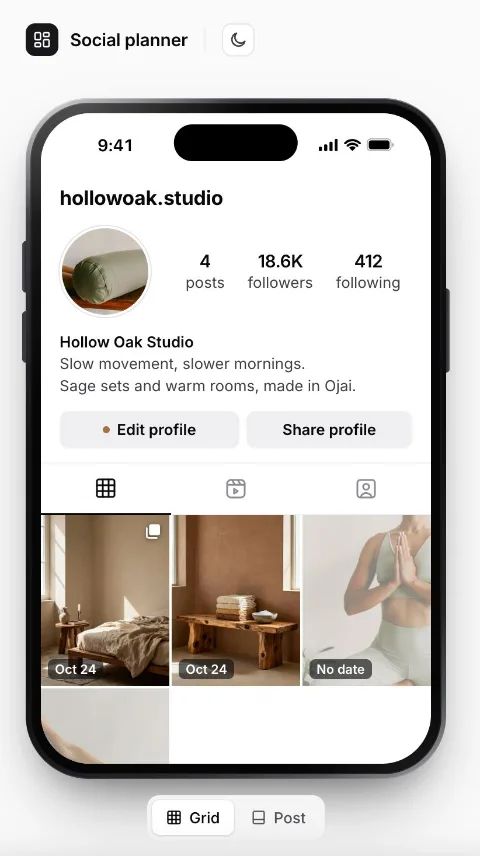
OctoberListCalendar
SMTWTFS
1
2
3
4
5
6
7
8
9
10
11
12
13
14
15
16
17
18
19
20
21
22
23
24
25
26
27
28
29
30
31
4 ready3 with a post date
Plan an Instagram grid from a board, then switch between list and calendar views.
Playbook MCP · Hosted apps
Connect your AI agent to Playbook, describe a tool, and it builds and hosts it on top of your assets: galleries, planners, review rooms, your own little DAM.












App gallery
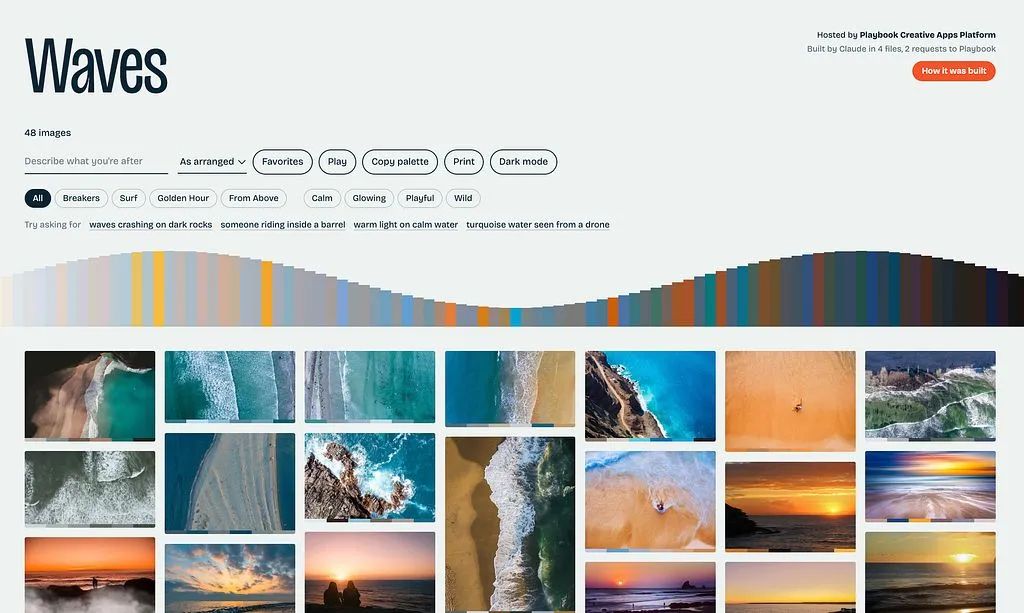
Real hosted apps people built on Playbook boards. Open one, or copy its starter prompt and make your own.
For studios and teams
Everyone has a workflow no off-the-shelf tool quite fits. Describe yours once, and it runs on top of Playbook after.
› Build an intake form for the retail partners we invite to the Partner submissions board. Require SKU, region and usage rights on every upload.
What you get
Hosting, access, search and uploads come with every app, on top of the board you already have.
Add a photo in Playbook and the app shows it.
Public link, password, or workspace only.
Visitors find work by describing it.
Clients drop files in, your team approves.
Its own link, no hosting or keys to manage.
Claude, ChatGPT or Cursor deploy it over MCP.
Frequently asked questions
A customizable web app connected to a Playbook workspace and deployed at its own playbookapps.cloud address.
No. Connect an AI agent like Claude, ChatGPT or Cursor to Playbook and describe the app you want. It writes the files and deploys them for you. If you’d rather write it yourself, an app is a few plain static files with no build step. See the hosted apps guide.
Every asset on the board and its sub-boards, with previews, colors, tags, statuses, custom fields and who uploaded them. It can also run keyword and AI search inside the board. It can’t see anything outside that board.
You choose: anyone with the link, anyone with a password, or only people who can view the board in Playbook. You can switch at any time, and the change takes effect within about a minute, with no rebuild.
Yes, when the board’s share link allows uploads. Files go straight into the board. In an app open only to your workspace, signed-in teammates can also edit titles, statuses, fields and tags, approve assets and leave comments.
Yes. Teams use hosted apps for partner intake forms, asset finders open only to one team, and exports in their company’s sizes. Describe the workflow in one prompt and the app runs on the boards, fields and permissions you already have in Playbook.
In Playbook. An app has no database of its own: it reads the board each time, so adding or editing an asset in Playbook updates the app within a few minutes.
It depends on your Playbook plan (see pricing). Updating an app you already have always works, even if you’re at your limit.