# Product catalog
Turn your product photography into a browsable catalog. Curate a board per collection, tag each shot with structured fields like SKU and price, then publish a hosted catalog or fetch the board and render your own storefront. Update the board and the catalog updates itself, no redeploy.
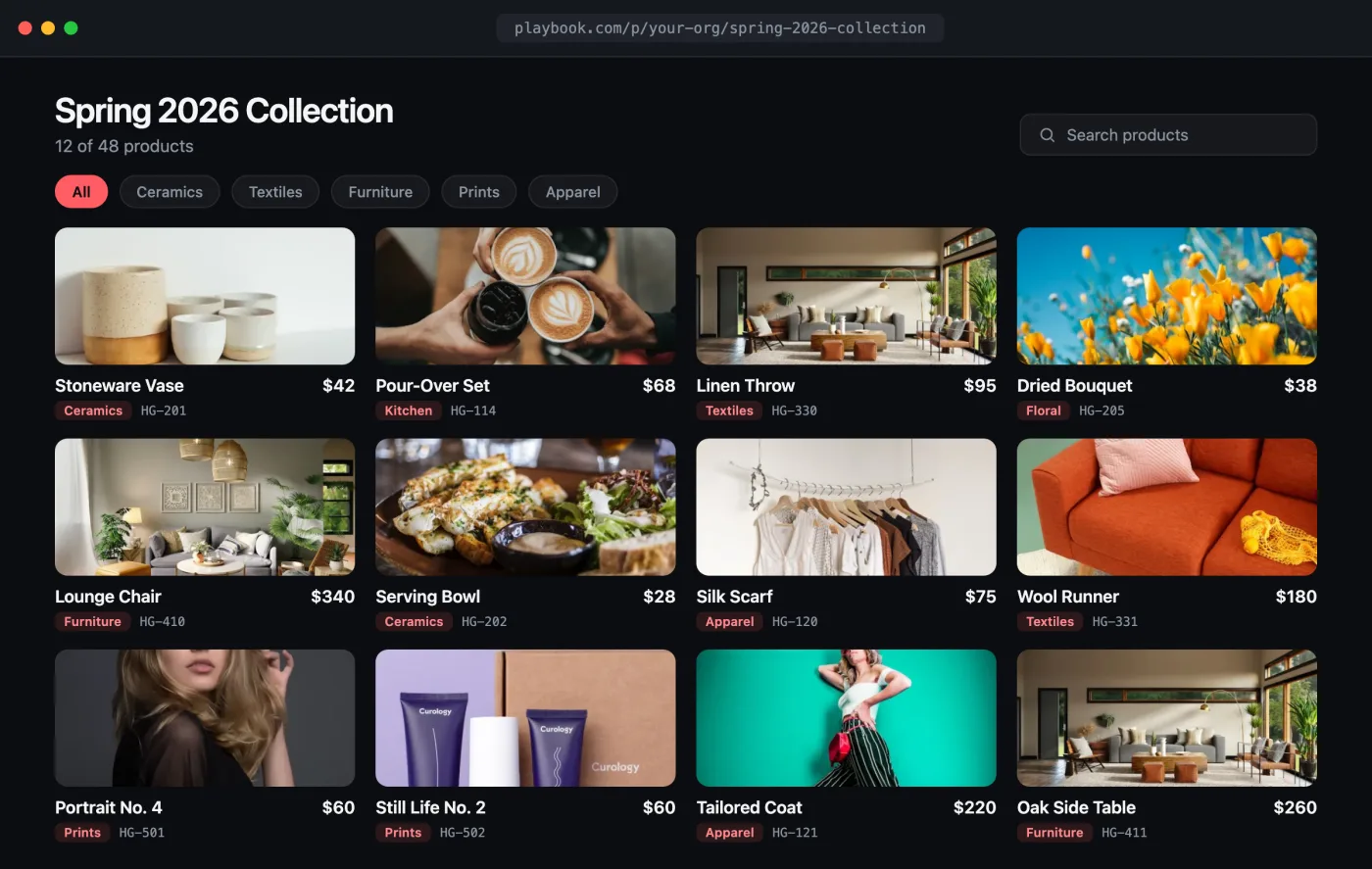
Live preview
**[Open the interactive preview →](/demos/product-catalog/index.html)** · a self-contained `index.html` you can click through in your browser (browse products, filter by category) or download.
## The flow[](#the-flow "Direct link to The flow")
1. Create a board for the collection.
2. Add product shots and tag them with [custom fields](/docs/guides/custom_fields.md) (SKU, price, category).
3. **Publish** it as a browsable catalog, *or* fetch the board's assets and render your own grid.
## 1. Create the catalog board[](#1-create-the-catalog-board "Direct link to 1. Create the catalog board")
```
curl -X POST "https://api.playbook.com/v1/$ORG/boards" \
-H "Authorization: Bearer $PLAYBOOK_TOKEN" \
-H "Content-Type: application/json" \
-d '{ "title": "Spring 2026 — Outerwear", "description": "Product shots for the spring line" }'
```
The response includes the board's `token` (e.g. `spring-2026-outerwear`). See [Creating Boards](/docs/guides/create_boards.md).
## 2. Add products with structured fields[](#2-add-products-with-structured-fields "Direct link to 2. Add products with structured fields")
Point Playbook at your product images and attach the fields that make a catalog shoppable. Custom fields become filterable facets on the board:
```
curl -X POST "https://api.playbook.com/v1/$ORG/assets/batch_create_from_urls" \
-H "Authorization: Bearer $PLAYBOOK_TOKEN" \
-H "Content-Type: application/json" \
-d '{
"batch": {
"collection_token": "spring-2026-outerwear",
"assets": [
{
"uuid": "1",
"uri": "https://example.com/products/parka-front.jpg",
"title": "Alpine Parka",
"fields": { "SKU": "OW-1042", "Price": "248.00", "Category": "Jackets" }
},
{
"uuid": "2",
"uri": "https://example.com/products/vest-front.jpg",
"title": "Trail Vest",
"fields": { "SKU": "OW-1043", "Price": "129.00", "Category": "Vests" }
}
]
}
}'
```
Define the fields once for the org so they stay consistent across catalogs. See [Custom Fields](/docs/guides/custom_fields.md).
## 3a. Publish it (hosted catalog)[](#3a-publish-it-hosted-catalog "Direct link to 3a. Publish it (hosted catalog)")
The fastest path: publish the board and hand back a public URL your buyers can browse and search.
```
curl -X POST "https://api.playbook.com/v1/$ORG/boards/spring-2026-outerwear/publish" \
-H "Authorization: Bearer $PLAYBOOK_TOKEN"
```
```
{ "data": { "url": "https://playbook.com/p/your-org/spring-2026-outerwear" } }
```
Embed it in your store or wholesale site:
```
```
## 3b. Or render your own storefront[](#3b-or-render-your-own-storefront "Direct link to 3b. Or render your own storefront")
Prefer full control over the markup? Fetch the board's assets, including each product's fields, and lay out your own grid.
Catalog.tsx
```
const ORG = "your-org";
const BOARD = "spring-2026-outerwear";
const TOKEN = process.env.PLAYBOOK_TOKEN;
type Product = {
token: string;
title: string;
display_url: string;
fields: { SKU?: string; Price?: string; Category?: string };
};
async function getCatalog(): Promise {
const res = await fetch(
`https://api.playbook.com/v1/${ORG}/boards/${BOARD}/assets?per_page=100`,
{ headers: { Authorization: `Bearer ${TOKEN}` } },
);
const { data } = await res.json();
return data;
}
export default async function Catalog() {
const products = await getCatalog();
return (
);
}
```
To filter by category or price on the server, use [search with field filters](/docs/examples/brand-portal.md#1-curate-approved-assets).
## Related[](#related "Direct link to Related")
* [Custom Fields](/docs/guides/custom_fields.md)
* [Sharing & Publishing](/docs/guides/sharing_and_publishing.md)
* [Fetching Data](/docs/guides/fetching_data.md)
