# Portfolio
Give every user a polished, always-current portfolio. You curate a board, add their work, and either **publish** it as a hosted public gallery or fetch the assets and render your own UI. Update the board and the portfolio updates itself — no redeploy.
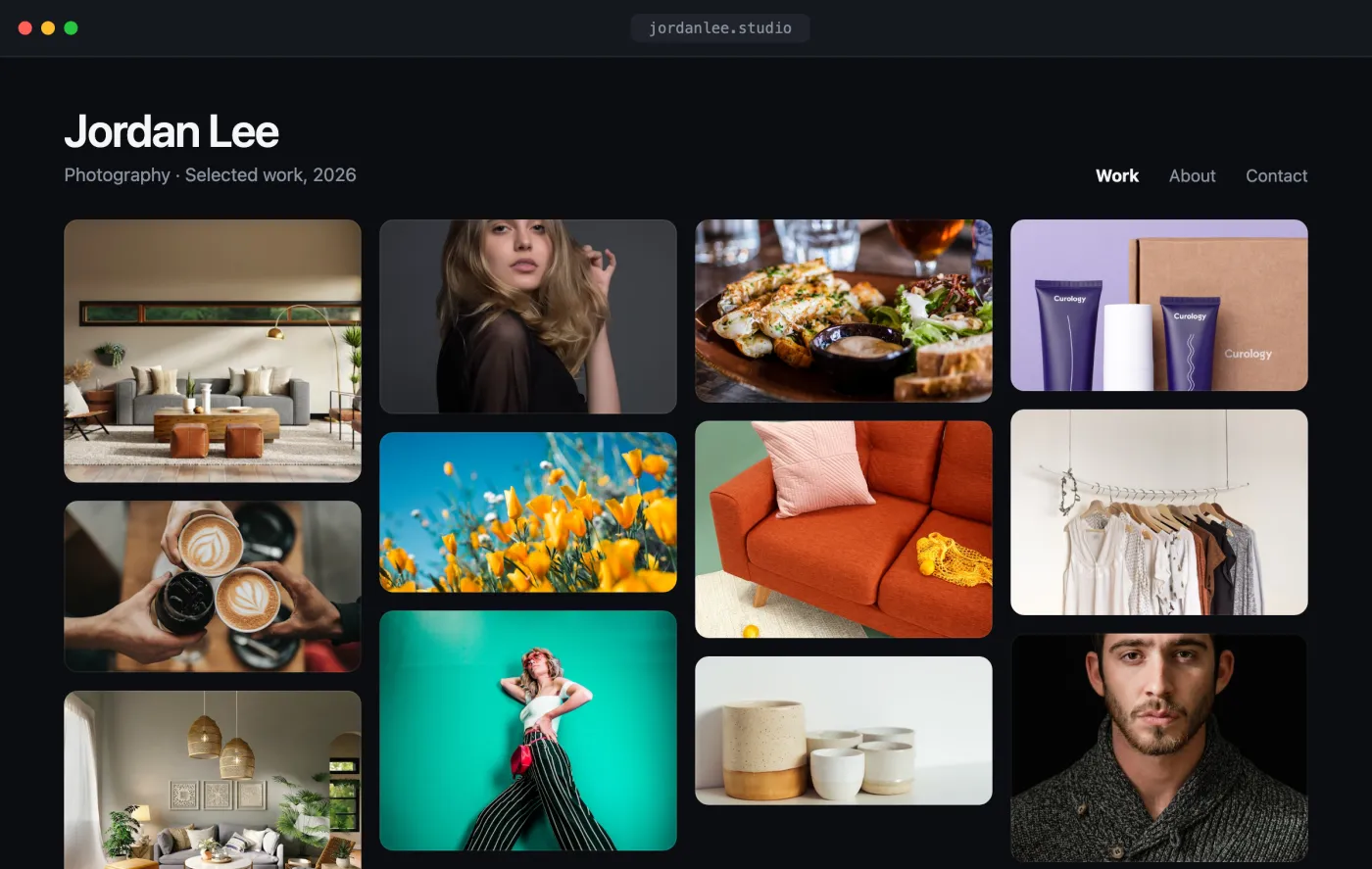
Live preview
**[Open the interactive preview →](/demos/portfolio/index.html)** · a self-contained `index.html` you can click through in your browser (open photos, favorite shots, switch tabs) or download.
## The flow[](#the-flow "Direct link to The flow")
1. Create a board — the portfolio container.
2. Add work to it (from URLs, or a direct upload).
3. **Publish** the board for a hosted public gallery + embeddable iframe, *or* fetch the board's assets and render your own gallery.
## 1. Create the portfolio board[](#1-create-the-portfolio-board "Direct link to 1. Create the portfolio board")
```
curl -X POST "https://api.playbook.com/v1/$ORG/boards" \
-H "Authorization: Bearer $PLAYBOOK_TOKEN" \
-H "Content-Type: application/json" \
-d '{ "title": "Jordan Lee — Photography", "description": "Selected work, 2026" }'
```
The response includes the new board's `token` (e.g. `jordan-lee-photography`). See [Creating Boards](/docs/guides/create_boards.md).
## 2. Add work to the board[](#2-add-work-to-the-board "Direct link to 2. Add work to the board")
Point Playbook at the image URLs — it fetches, processes, and generates delivery-ready renditions for you:
```
curl -X POST "https://api.playbook.com/v1/$ORG/assets/batch_create_from_urls" \
-H "Authorization: Bearer $PLAYBOOK_TOKEN" \
-H "Content-Type: application/json" \
-d '{
"batch": {
"collection_token": "jordan-lee-photography",
"assets": [
{ "uuid": "1", "uri": "https://example.com/shoot/01.jpg", "title": "Coastline" },
{ "uuid": "2", "uri": "https://example.com/shoot/02.jpg", "title": "Studio portrait" }
]
}
}'
```
Uploads are asynchronous — each asset comes back as a skeleton and finishes processing in the background. See [Uploading Assets](/docs/guides/upload.md) for the signed-upload flow (for local files) and how to poll for completion.
## 3a. Publish it (hosted gallery)[](#3a-publish-it-hosted-gallery "Direct link to 3a. Publish it (hosted gallery)")
The fastest path: publish the board and hand back a public URL.
```
curl -X POST "https://api.playbook.com/v1/$ORG/boards/jordan-lee-photography/publish" \
-H "Authorization: Bearer $PLAYBOOK_TOKEN"
```
```
{ "data": { "url": "https://playbook.com/p/your-org/jordan-lee-photography" } }
```
Embed it anywhere:
```
```
See [Sharing & Publishing](/docs/guides/sharing_and_publishing.md) for the difference between shared and published links.
## 3b. Or render your own gallery[](#3b-or-render-your-own-gallery "Direct link to 3b. Or render your own gallery")
Prefer full control over the markup? Fetch the board's assets and lay them out yourself. Each asset carries a CDN `display_url`.
Portfolio.tsx
```
const ORG = "your-org";
const BOARD = "jordan-lee-photography";
const TOKEN = process.env.PLAYBOOK_TOKEN;
type Asset = { token: string; title: string; display_url: string };
async function getPortfolio(): Promise {
const res = await fetch(
`https://api.playbook.com/v1/${ORG}/boards/${BOARD}/assets?per_page=50`,
{ headers: { Authorization: `Bearer ${TOKEN}` } },
);
const { data } = await res.json();
return data;
}
export default async function Portfolio() {
const assets = await getPortfolio();
return (
{assets.map((a) => (

))}